Raw Japanese manga
Translate raw manga chapters from Japanese into English or another supported language so you can read them without waiting for an official release.
Upload a manga, manhwa, or comic page and translate the speech bubbles, captions, and sound effects. The translated text is typeset back into the image.
JPG, PNG, or WebP.
Drag & drop, or click to browse
One page per translation.
Describe the tone or terminology you want. English works best.
View your translated page.
Kyukoma’s AI manga translator reads the text on a page with OCR, translates it in context, and writes the translation back into the image. Use it to read raw Japanese manga in English, translate Korean manhwa and webtoons, or prepare a first-pass translation of your own comic for readers in another language.
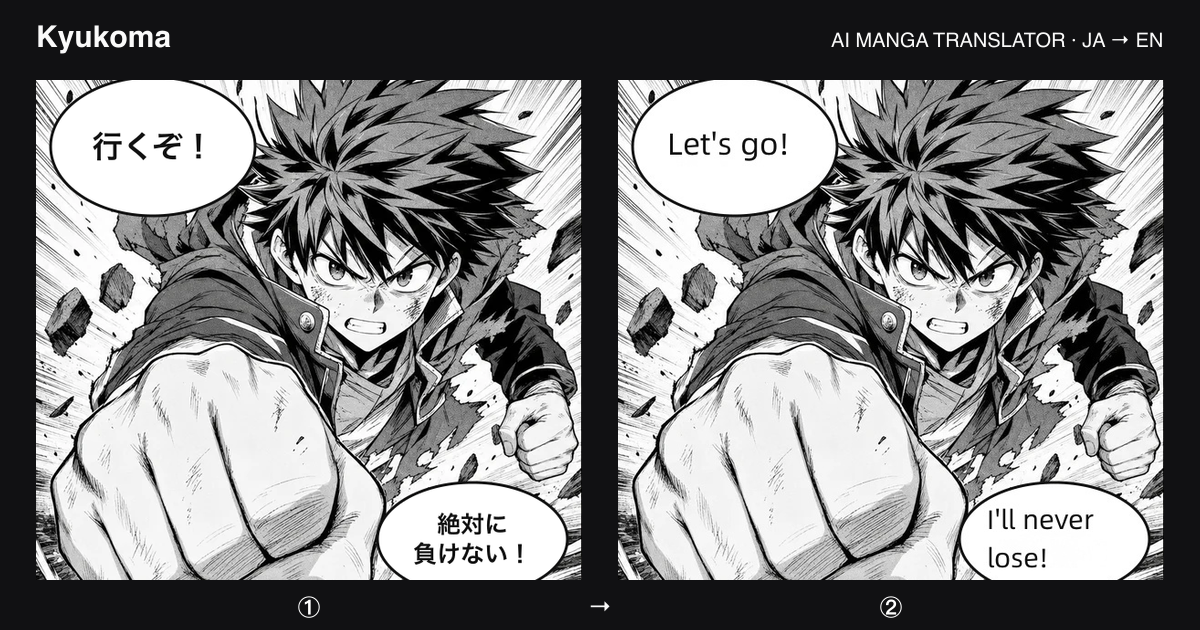
Translate raw manga chapters from Japanese into English or another supported language so you can read them without waiting for an official release.
Translate Korean manhwa and Chinese manhua pages. Long webtoon strips work best when you split them into page-sized images first.
Make a first-pass translation of your own manga or comic for international readers, then review the wording before you publish.
Choose a JPG, PNG, or WebP image of a single page or panel. Clear, high-resolution scans give the OCR the best chance of reading small lettering.
Leave the source on auto-detect or pick it yourself, then choose the target language. Add optional style notes for tone, honorifics, or character names.
Compare the translated page with the original, check names and short sound effects, and download the image.
Source and target languages are English, Chinese, Japanese, Korean, French, German, Spanish, Russian, and Arabic. The source language can also be detected automatically, so you can translate Japanese manga to English, Korean manhwa to English, or English comics into Japanese, among other pairs.
Yes. The tool detects text regions, translates them, and renders the translated text in place, so you get a translated image rather than a list of lines. Very long translations, vertical text, or stylized lettering may need manual touch-ups.
It translates each page in context and handles everyday dialogue well, but it can miss wordplay, slang, or character names. Use style notes to set the tone and keep names consistent, and review important pages before sharing them.
The translator processes one page per run. For a full chapter, translate the pages one after another; your uploaded page is kept so you can switch the target language without uploading it again.
You need to sign in to translate. Each page costs a small number of credits, shown on the button before you start. See pricing for plans and the credits included with each one.